Domain Availability Checker
Domain Availability Checker – Find Those Hidden Gems
Find Available Domains – Because the Perfect .com Can Be a Game Changer
Domain Availability Checker – The Lowdown
- Included free with ScrapeBox – a nice little bonus
- Multi-threaded connections get the job done fast
- Trainable extensions let you get creative
- Whois server delay and adjustable whois server for super fine tuning
- Whois server delay, because waiting around isn’t fun
- Proxy support to stay under the radar and keep on searching
- Multiple-DNS Servers for maximum speed and accuracy
- Rotating DNS Servers – why settle for one when you can have 5?
- Adjustable taken/available text, because you like things just so
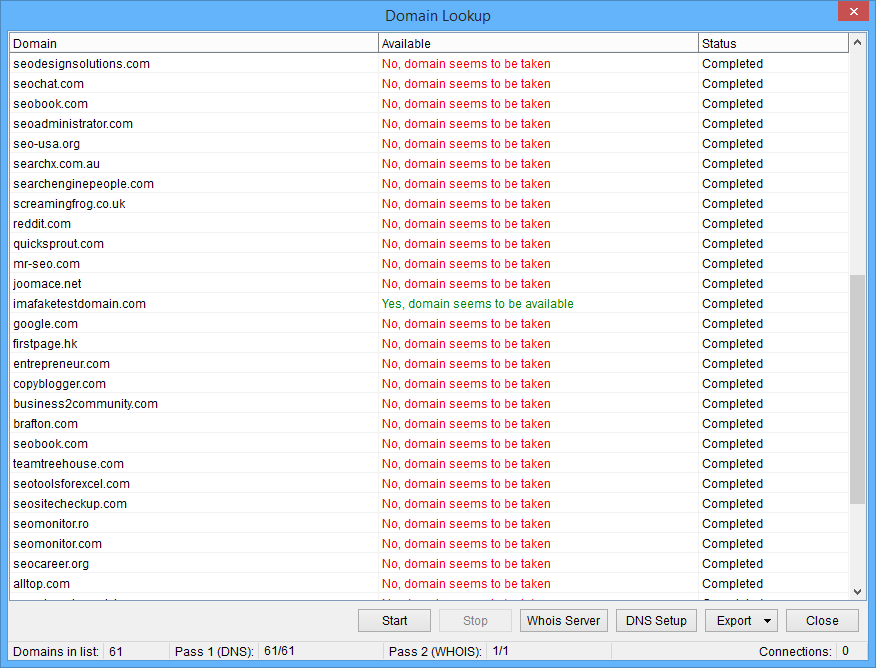
If you’re building a business based on profitable keywords or just getting tired of mediocre domains, then ScrapeBox’s Domain Availability Checker might be just what you need. This tool is part of the Keyword Scraper feature, which lets you enter a single keyword and ScrapeBox will pull up a bunch of related keywords and phrases using services like Google Suggest, Amazon, and Shopping.com. And once you’ve got those, you can just pop them into the Domain Availability Checker to see if they’re available as a .com, .net, .org, or .info – with or without hyphens.
Take a look at the screenshot above – I entered the keyword “backlinks” and ScrapeBox came up with a bunch of related keywords. Checking those out in the Domain Availability Checker for .com domains, I found some nice domains like BacklinksTutorial.com or BacklinksIndexing.com. That could be the perfect base for a backlink indexing service – and ScrapeBox can even help you find the domain and offer the service.
The domains you find with the Domain Availability Checker are all free for the taking at your favourite domain registrar. If you’re into domaining, ScrapeBox also includes a free TDNAM Closeouts scraper addon for finding those $5 domains on the TDNAM auction site.
Adjustable DNS – The Fine Print
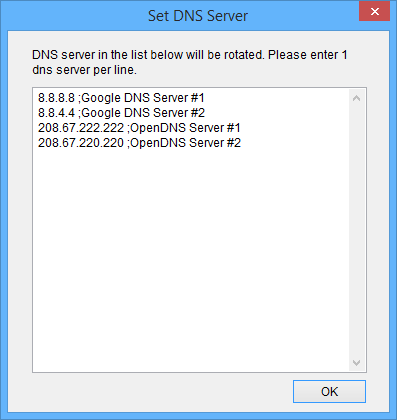
We’ve got multiple DNS servers in play to give you the speed and accuracy you need.
All that preliminary testing to see if domains resolve to a website means we can save time on whois lookups, which is a big plus.
Some DNS providers can be a bit sluggish, so we’ve added the option to add multiple custom DNS servers – and even rotate the lookups between them.
A few of the default DNS servers we use work like a charm for most users, but if you’re a power user, you can go in and fiddle with this to squeeze out even more performance.
Adjustable Whois – You’re In Control
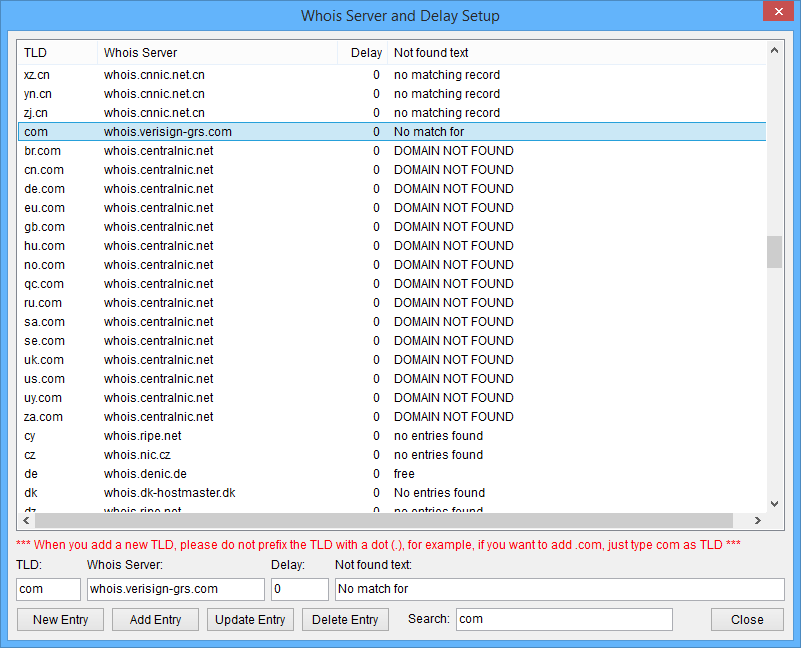
We’ve got a customizable Whois database that gives you the freedom to set things up just the way you want.
When a domain doesn’t resolve to a website, we’re going to do a final whois lookup to confirm it’s not registered – and you can adjust the whois servers and query delay for each TLD.
With all the new custom TLDs popping up left and right, it’s good to know that you can add new ones to the mix whenever you need to – future proofing the addon and keeping you right on top of the domain game.