Platform Analyzer
Analyze Web Platforms
- Built-in Free with ScrapeBox
- Multiple Threads for Ultra-Fast Analysis
- Adjust the Number of Connections to Suit Your Needs
- See How Popular Each Platform is
- Export Your Findings
- Get a List of All the Platforms You’ve found
- Edit the Footprints to Add Your Own Platforms
So you’ve got a big list of websites you don’t know what platforms or CMS they’re running on?
ScrapeBox comes with a handy Platform Popularity Analyzer that lets you scan through your list of URLs in the background, figuring out which CMS each website is built with. It does this by checking out the HTML code of each page and looking for those distinctive footprints that give away the platform. It also uses the Comment Poster platform definition files which are updated automatically.
This means it can identify all the platforms it can post links to – including:
- 4image
- Advanced Guestbook
- AkoBook
- Ard Guestbook
- Aska BBS
- ASP Blog
- Basti Guestbook
- BeepWorld
- Bella Guestbook
- Blogengine
- Burning Book
- Chinese Blog
- cms2day
- CoderWorld
- Coppermine
- DedeIms
- DRB Guestbook
- e107 Forum
- EasyBook Reloaded
- GA Guestbook
- Gallery2 Image
- Icybook Guestbook
- Jambook Guestbook
- Jax Guestbook
- Joomla Comment
- K2 Blog
- Pixelpost
- Plogger
- Serendipity Blog
- Sitebuilder Guestbook
- TextCube Guestbook
- WordPress
- WPTrackback
All of these definition files are editable in something like Notepad, so you can add new platforms or footprints if you need to. If the Comment Poster supports a new platform, that platform will automatically be enabled in the platform Analyzer.
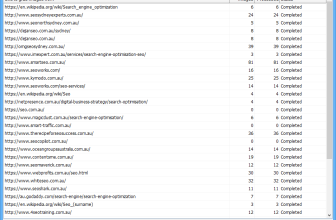
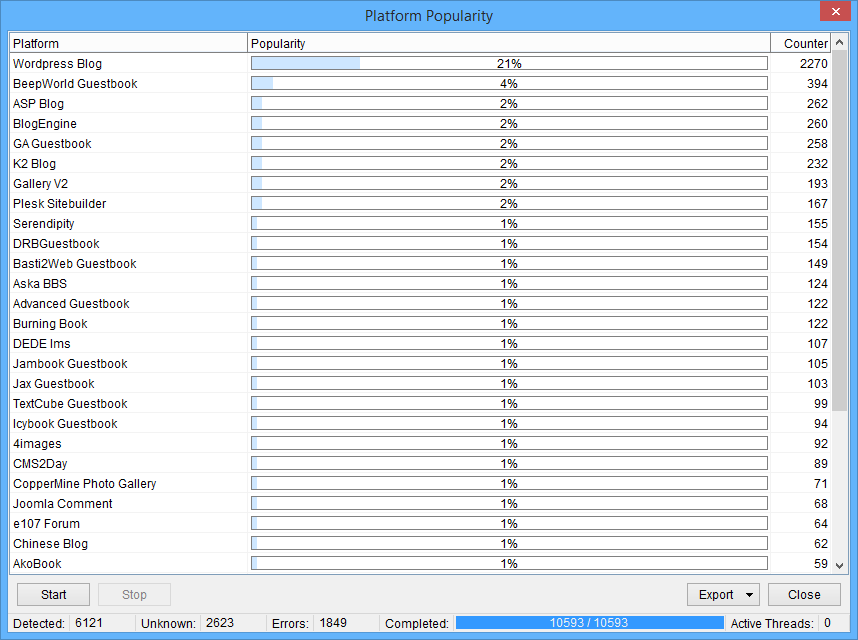
When you run the Platform Analyzer, it’ll show you some useful metrics. like how many URLs you have in your list, how many got identified and what percentage each platform makes up. There are two export options to choose from – you can export a Popularity Count which is handy for things like reporting on which platforms your backlinks came from.
You can also export the results and split your list of URLs into separate platform lists, where each platform gets its own text file.
You can find this option from the “More List Tools” button next to the Search Engine Harvester. And as an added bonus, ScrapeBox comes with a more powerful Page Scanner Addon that can not only identify platforms but also scan for things like text, ads and meta tags and includes super-useful variable and regex support.