YouTube Downloader
Download YouTube Videos and Metrics
YouTube Downloader – now included for free with ScrapeBox
- ScrapeBox comes with this feature included, and its been a real game-changer
- Multi-threaded connections mean you can download in the background while still using your computer for other things
- Download Videos straight from YouTube
- Download just the Audio in MP3 format
- Get all sorts of video metrics and info – and sort them in any way you like
- Sort by Metrics to find the most popular videos
- Export your collected data to Excel for further analysis
- Customize the video and audio quality to suit your needs
- Loads of options to help you filter and narrow down your search
- Proxy Support – perfect for getting around geo-blocks
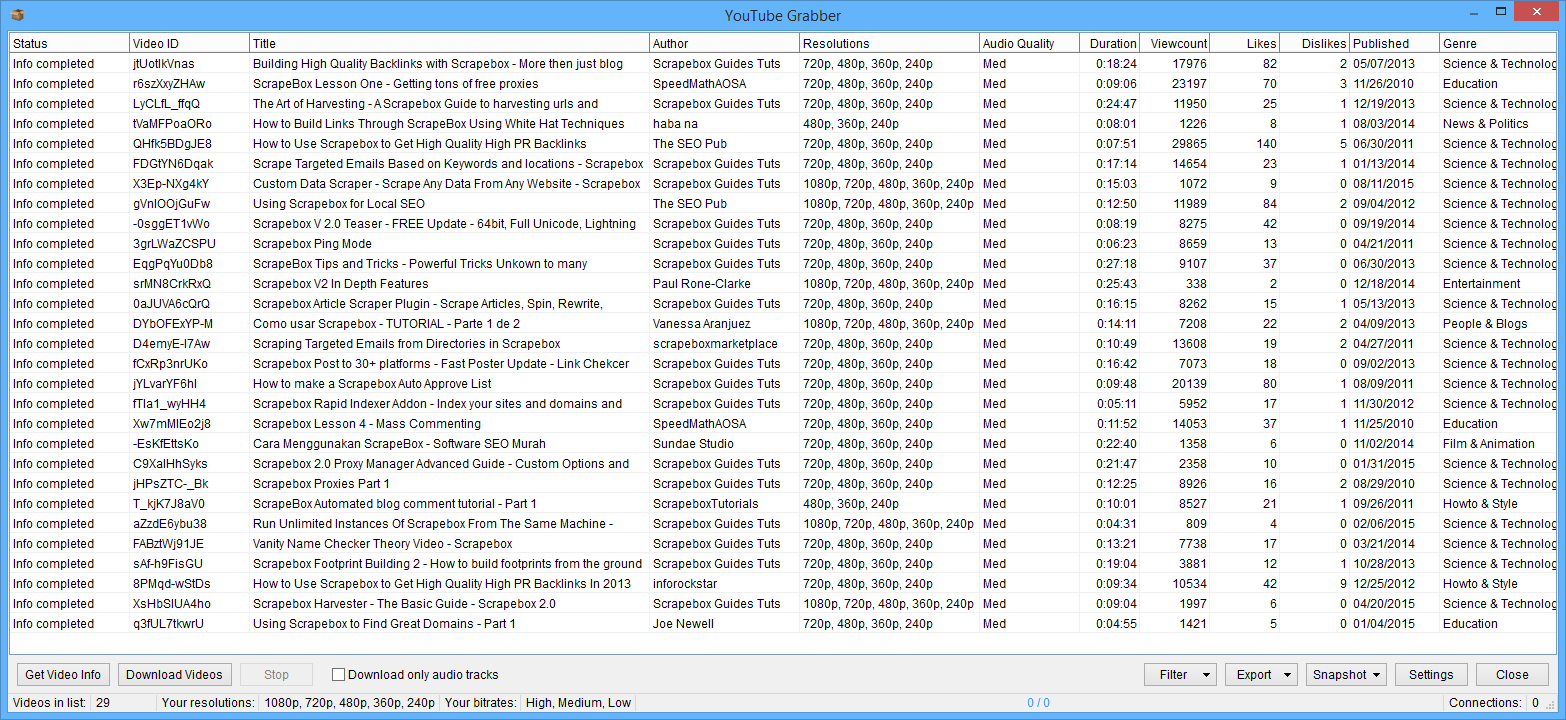
The YouTube downloader and scraper is a pretty sweet new addition to ScrapeBox. This lets you scrape YouTube for video info and download videos of your choice.
To get started, you’ll first need to use the Search Engine Harvester to harvest video URLs using the YouTube option. From there you can customize your search to go after pretty much anything you want – e.g. videos from the last hour, day, week, or year. Or use all the standard YouTube search options – say, to go after creative commons videos that are free to use.
Once you have some video URLs scraped, you can pull in all sorts of metrics and info for each one:
- Title
- Author
- Duration
- View Count
- Likes
- Dislikes
- Published Date
- Video Genre
- Video Quality
- Audio Quality
- Video ID
- Top Comments
And with the right click sort function – you can easily sort these by just about anything you like, which is perfect for things like seeing what sorts of videos are attracting a lot of views, or working out which videos are most likely to get engagement.
You can then export all of this data out to Excel for further analysis, or snap shot the lot for later use. And to top it all off, there are all sorts of filter options on the table too – as well as some great shortcuts to help you pull out the info you need when you need it.
But if that wasn’t enough – the YouTube Downloader can also download just the video or the audio of each YouTube clip. So if you’re looking to compile an mp3 playlist of music or podcasts, this feature is perfect
YouTube Settings
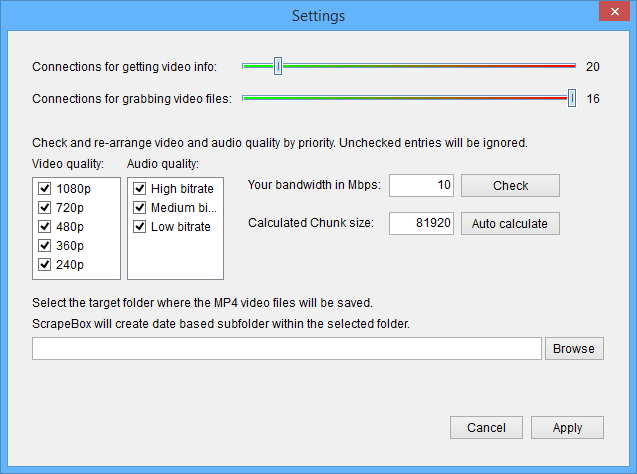
Get Downloader Just Right – customize your download preferences and make the YouTube downloader work just the way you want it to. You can even drag and drop video and audio quality settings to get the downloads you need.
Want to prioritize high definition 1080p video’s, or low bandwidth 240p for tight internet connections? – just drag the desired quality to the top of the list. Easy.
And to make things even faster, you can customise the multi-threaded downloads – and even tell the downloader how fast your internet is.
And yes, you can even download videos in chunks – basically it breaks down big downloads into smaller bits that get merged back together once its all done – this makes for seriously fast download speeds.
Comments Viewer
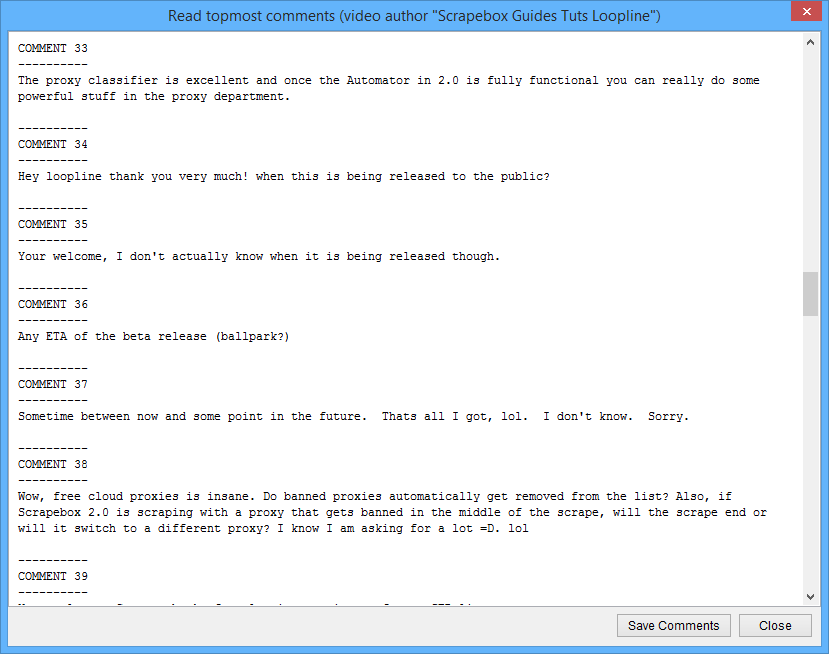
Look at the Comments – View comments for each YouTube video once you’ve fetched the video info. Simply right click on any video and you can see what viewers are saying about it.
This is a real time saver – you can just keep an eye on the comments for the videos that interest you most – and even save them out to a text file for later reference