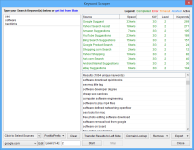
Keyword Scraper
Mass Harvesting Keywords from Multiple Sources
Keyword Harvester
- comes included with ScrapeBox
- has super-fast, multi-threaded connections
- supports proxies, so your identity stays hidden
- lets you scrape multiple times for maximum results
- can append letters A to Z
- can append numbers from 0 to 9
- let you add your own custom text to your keywords
- allows you to filter out keywords with certain words
- lets you filter out keywords without certain words
- supports Automator, for ultimate ease of use
- harvests keywords from 13 different sources
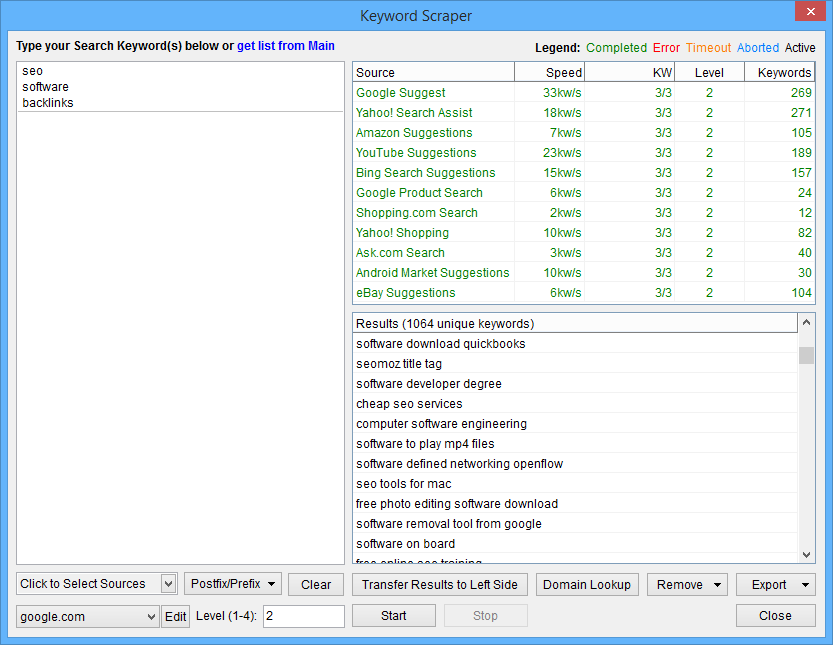
ScrapeBox has a seriously powerful keyword scraper that can churn out thousands of related keywords in no time. Lots of search engines, and even some shopping sites, have some kind of search suggestions feature – where they drop down a list of related search terms while you type. And guess what: ScrapeBox can harvest those keywords for you.
You can extract related keywords from places like:
Google Suggest
Yahoo Search Assist
Amazon.com
YouTube
Bing Search
Google Product Search
Shopping.com
Yahoo Shopping
Ask.com Search
Ebay.com
Google Play
Wikipedia
Alibaba Product Search
This super powerful feature lets you get a real insight into what people are searching for on these services. If you run a business or website this can tell you what people really want and need and help you optimise your content to match. And with the free ScrapeBox Google Competition Finder addon you can even scan your keywords to see how well they’re doing in Google.
The tool also lets you append the letters A to Z to your keywords, so if you enter ‘Buy’ you can get keywords like ‘Buy A’, ‘Buy B’, ‘Buy C’ and so on. This can take a small list of keywords and turn it in to a massive list – perfect for finding loads of related keywords. You can even use country extensions with Google – so you can scrape suggestions from any Google domain like Google.fr or Google.de.
You can also set how many times you want the scraper to run the keywords through the suggestion sources. So if you enter ‘Buy’ it will return 100 or so suggestions from the 10 sources. If you select level 2 it will take those 100 keywords and run them through the suggestion sources again, and return 1000 more. If you do level 3 it will take the 1,000 and return 10,000 and if you do level 4 you can get 100,000 or more.
If you combine the level option with the Append A-Z option you can get loads and loads of keywords – we’re talking quarter of a million keywords with a single base keyword to start.
We’ve recently added a couple of new options to the keyword scraper: ‘Remove Keywords Containing’ and ‘Remove Keywords Not Containing’. These let you filter your keywords to get rid of any that are not relevant.
You can also transfer your keywords to the Search Engine Scraper, which can harvest loads of websites and web pages relating to the keywords you’ve found. This is perfect for researching competitors or finding backlinks to add to your own site.
Keyword Domain Check

You can use the Keyword Scraper to find domain names that match your keywords, then register them.
Get the most relevant domain names with the Keyword Scrapers ‘Domain Lookup’ option.
So how does this work? Its pretty simple really, but pretty powerful.
When you’ve added some seed keywords and scraped suggestions from one of the 10 sources like Ebay or Google Suggest you can click the Domain Lookup button and all your keywords will be turned in to domain names. You can convert them to .com .net .org or .info with or without hyphens. Then just hit Start and your keywords will be checked to see if the exact match domains are available.
How cool is that?
Numerous Options
Loads of Options
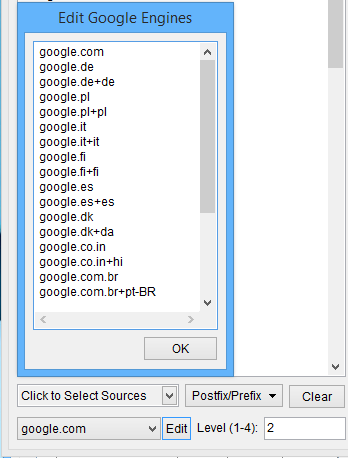
There are loads of options available when you’re scraping keywords from suggest sources. For example, when using Google Suggest, you can change the country TLD used and the language – so you can scrape keywords that are relevant to your country or language.
So for example you can add Google.de and it will fetch keywords from Google.de using English. This will give you a different set of results than if you used Google.com and English. You can even add Google.de + de to not only scrape Google suggest using Google.de but also set the language to Deutsch.
You can also append or prefix the letters A-Z, or the numbers 0-9 to your keywords. Or you can even add a wildcard * to your keywords and add or prefix any custom text you want.